
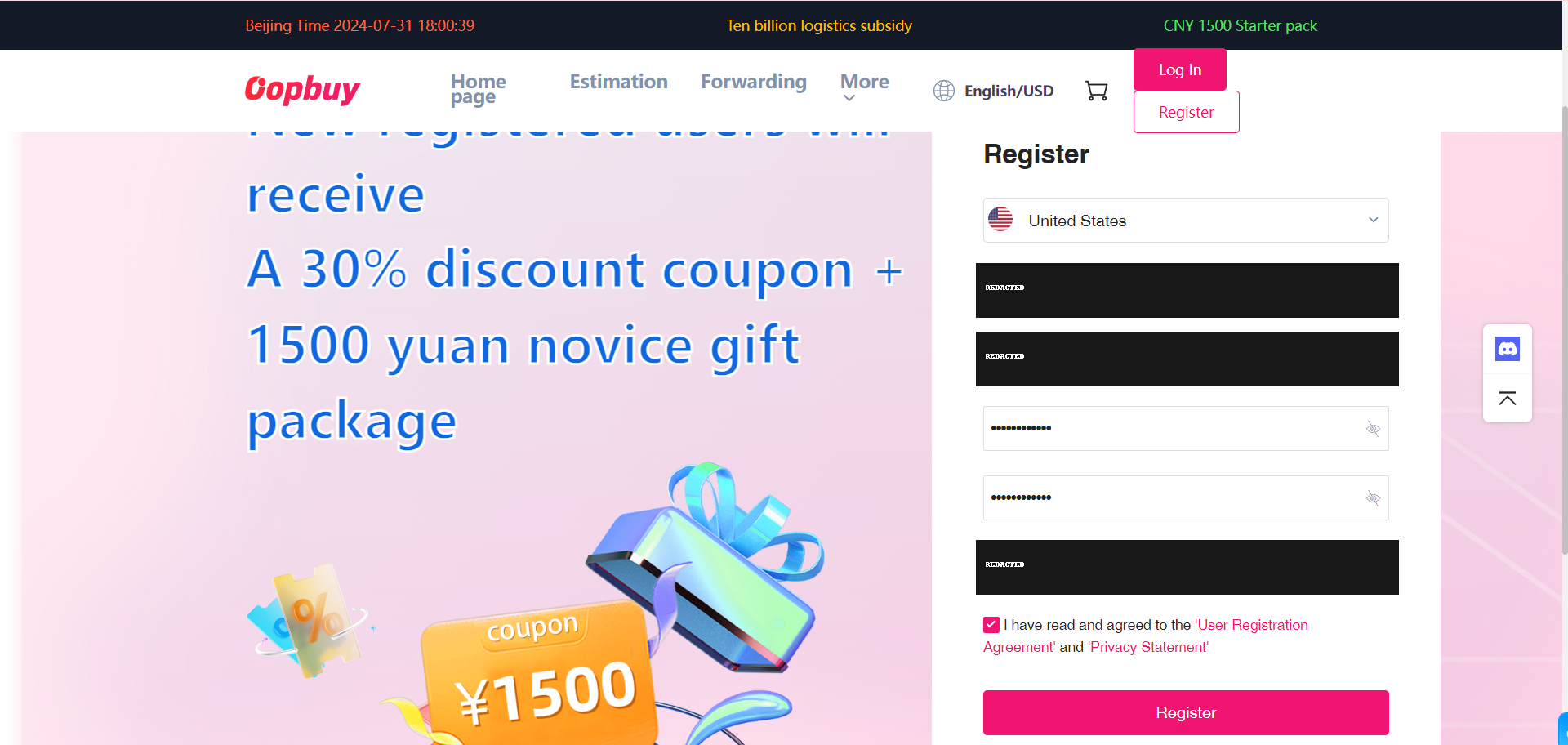
1. Register an account
Use the official sign-up page and keep the account details secure. This account holds purchases, warehouse items and support messages. The tutorial’s welcome banner is a historical example, not a current offer.
How to order
Follow the official tutorial, then check the seller, payment, warehouse item and parcel.
This guide follows the official 11-step tutorial in its original order. Its 2024 interface pictures explain the controls; they are not current prices, promotions or a record of our own order. Privacy-redacted renditions are labelled.
Use the official sign-up page and keep the account details secure. This account holds purchases, warehouse items and support messages. The tutorial’s welcome banner is a historical example, not a current offer.
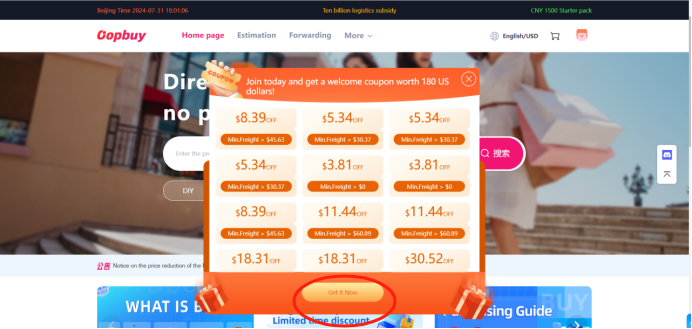
The tutorial next opens the coupon panel. Read the expiry, minimum spend and eligible route for any coupon visible in your own account. A bundle value is not cash and does not reduce every payment.
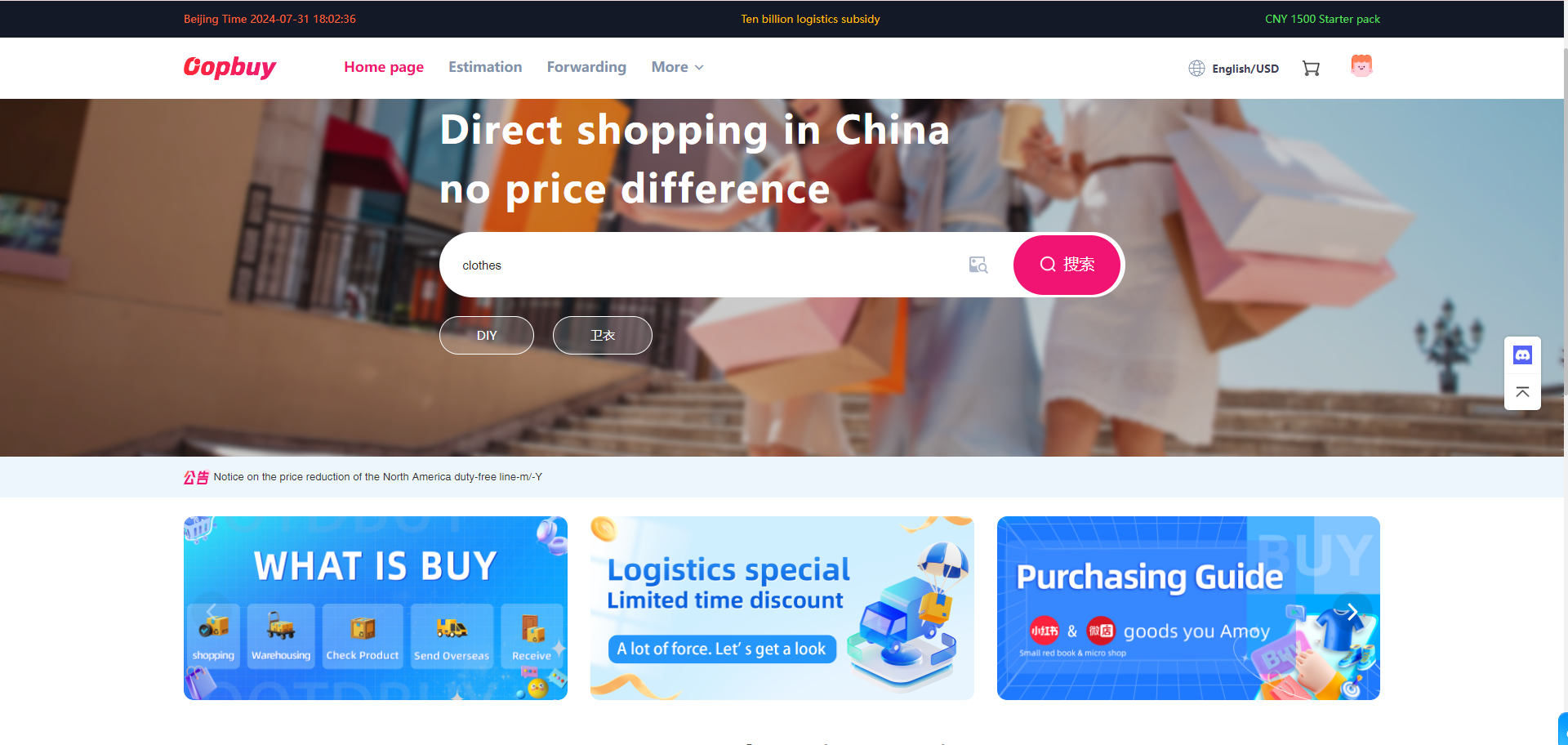
Find a listing through the Spreadsheet, then paste its source URL into the Oopbuy search field. Compare the returned seller and item with the source. If it cannot be read, use a manual order only after confirming the details.
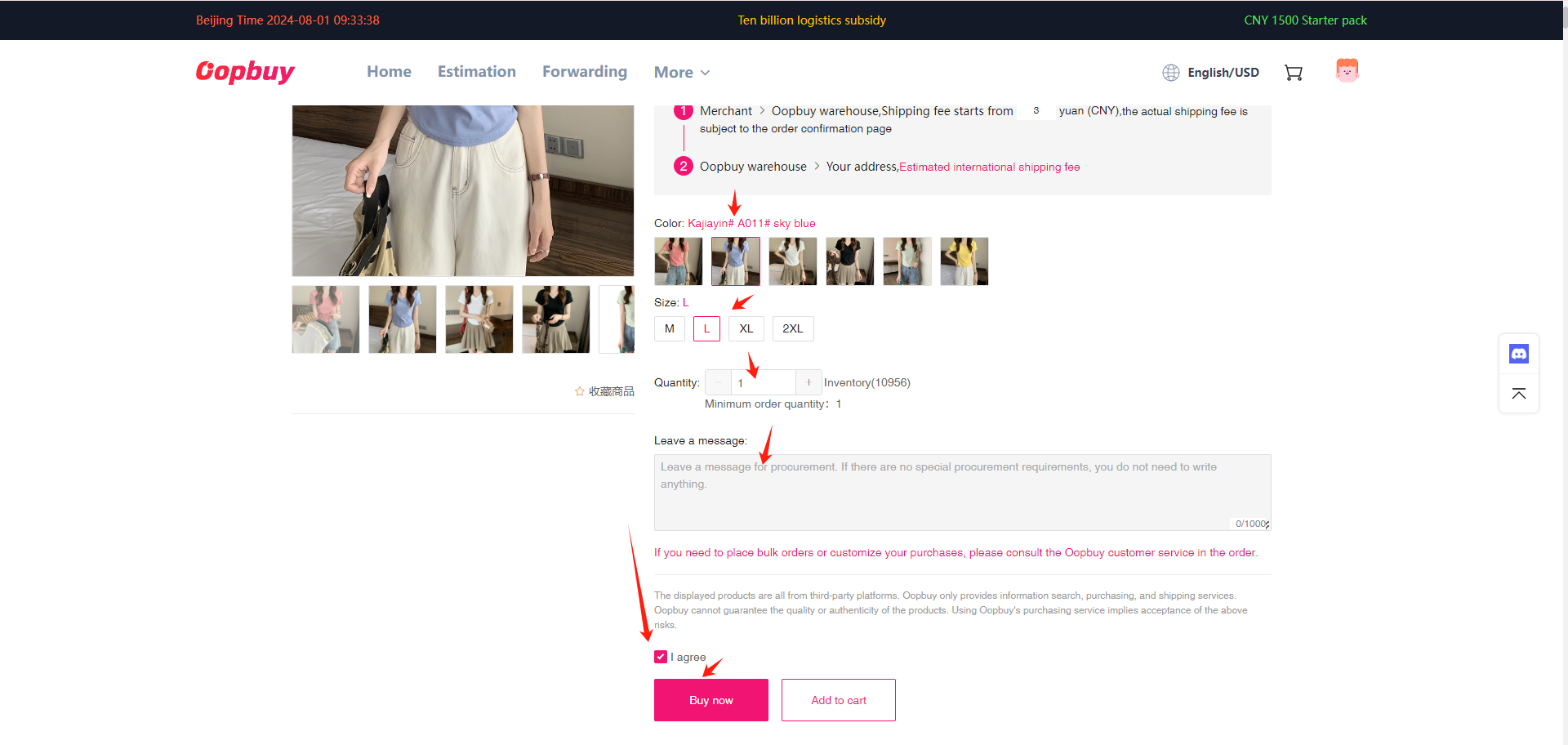
Check the exact option, size chart, price and seller freight. Record the variant name and leave a clear note for an ambiguous option. Confirm an eligible shipping route for liquids, batteries or bulky goods before paying.
Review the order lines and pay the goods cost plus domestic delivery. Check the amount credited if you top up: provider fees and currency conversion are separate from the item price. International freight is paid later.
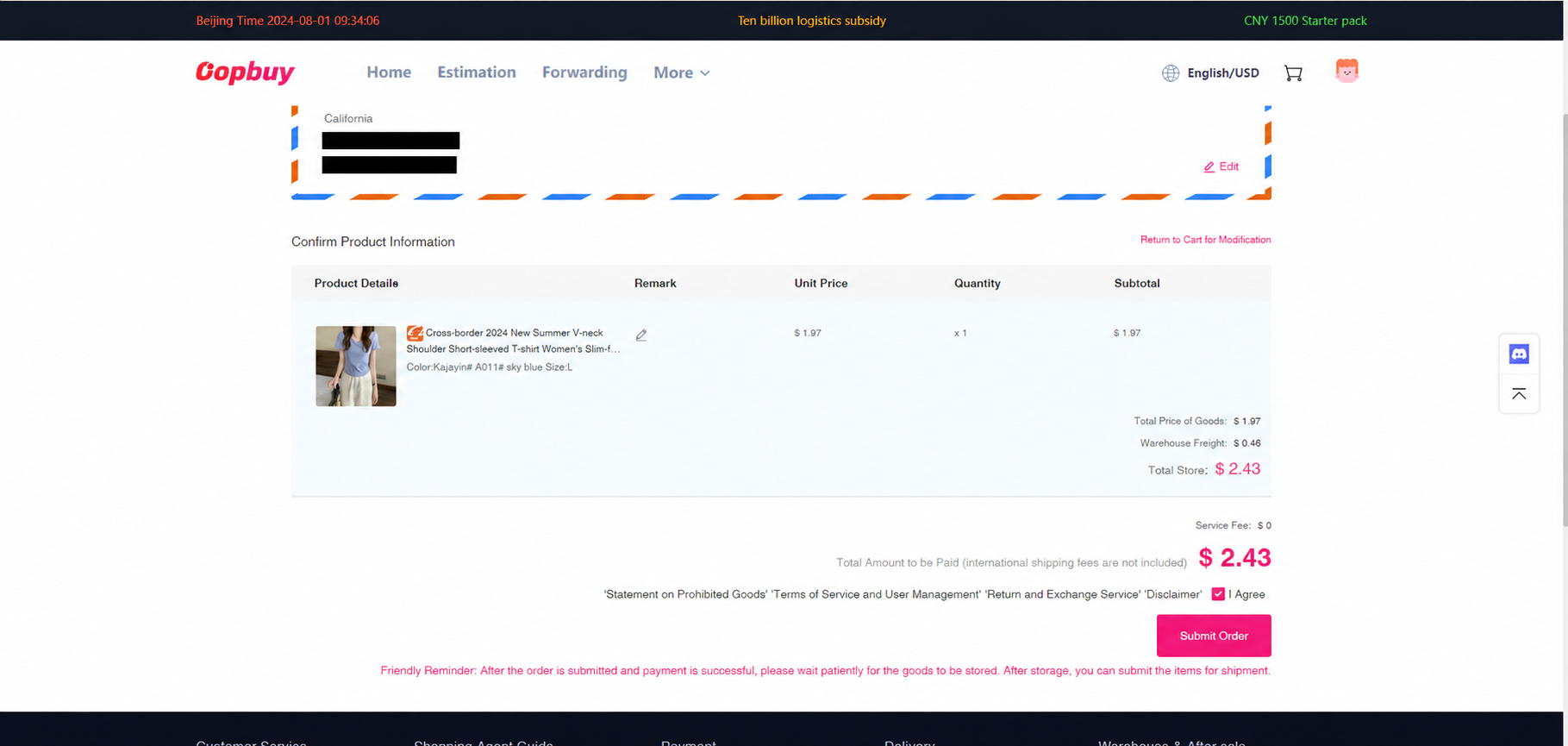
Open the order list after payment. Read requests for missing options, additional freight or an out-of-stock decision. If a seller delay threatens your plans, ask about cancellation before the agent buys or dispatches it.
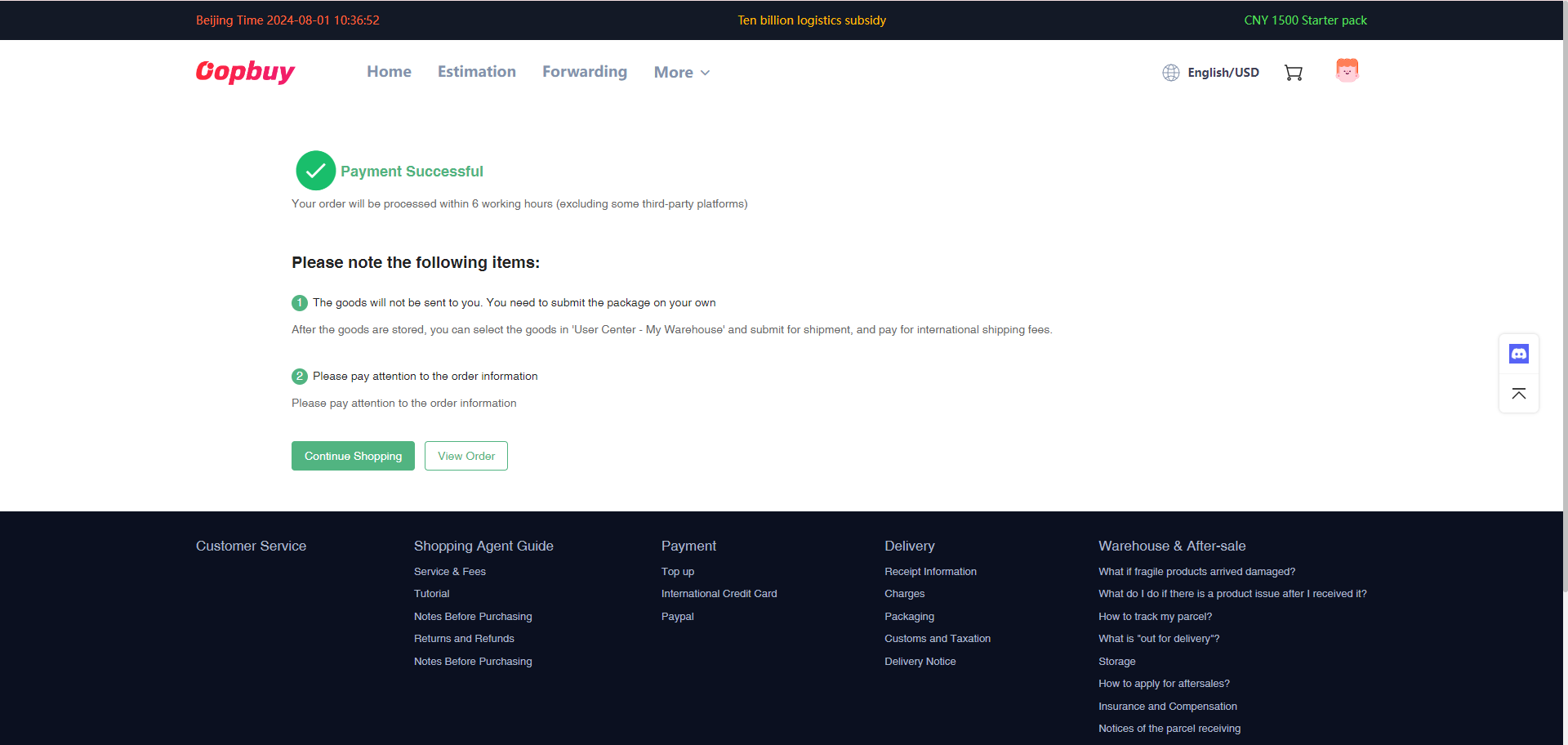
When the order is stocked in, open its actual QC photos, compare the ordered variant and request missing details. Make a keep, query or return decision promptly. The conditional return window and the storage period are separate clocks.
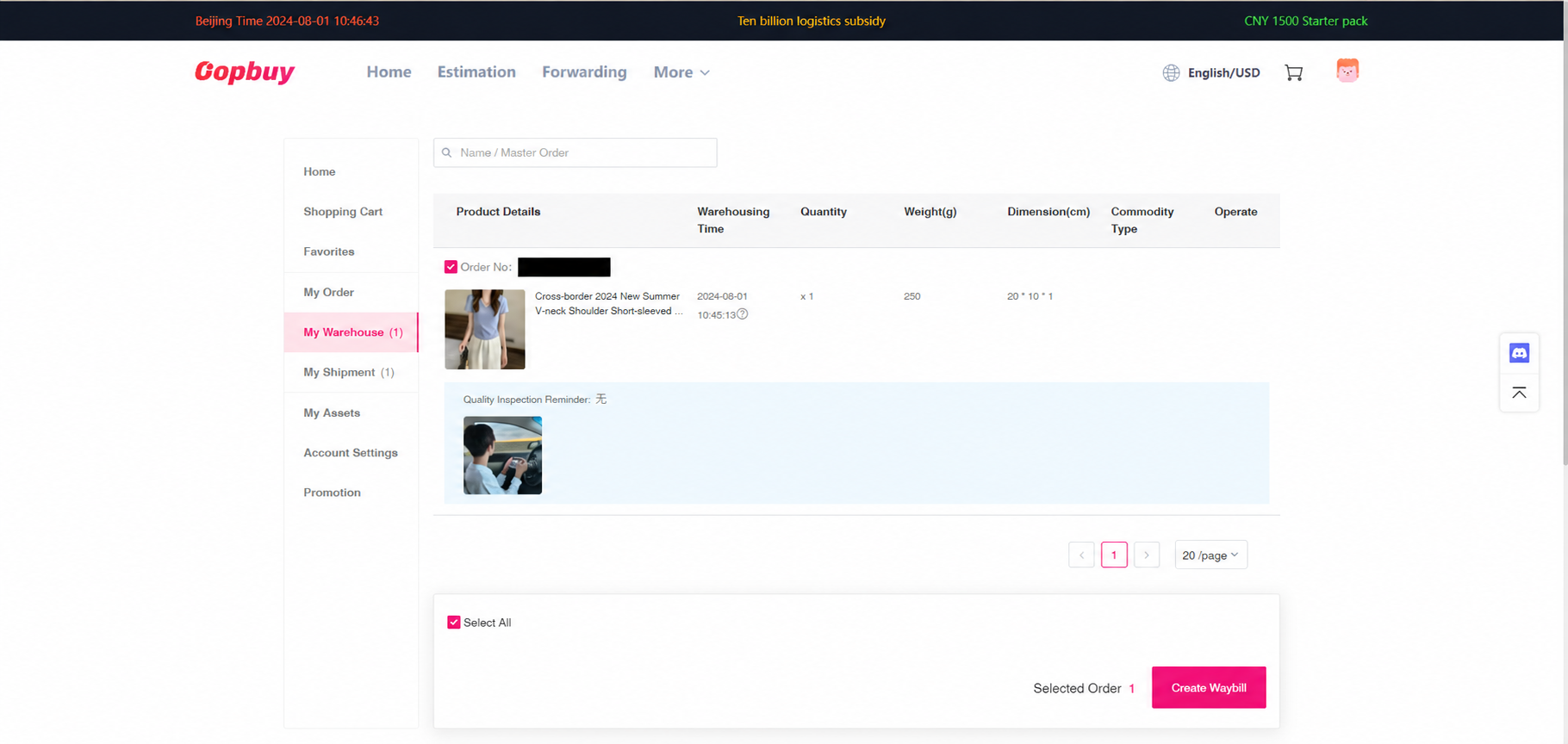
See real QC examples and how to request a measurement · Check return conditions
Select the items that are ready, confirm the recipient address and choose suitable packing. Check the route’s destination, goods, size and weight restrictions. Enter an accurate description and declaration; use account support if a required field is unclear.
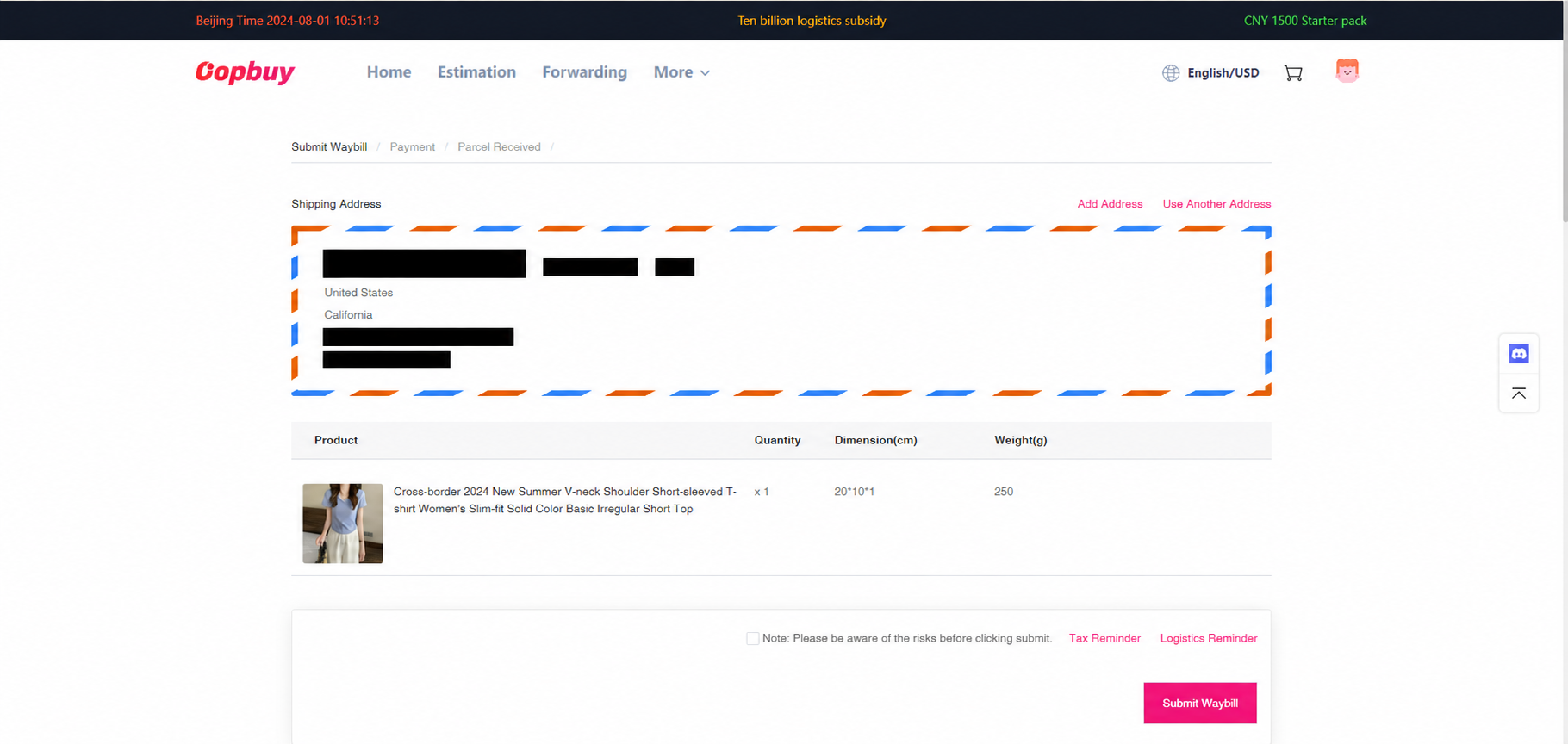
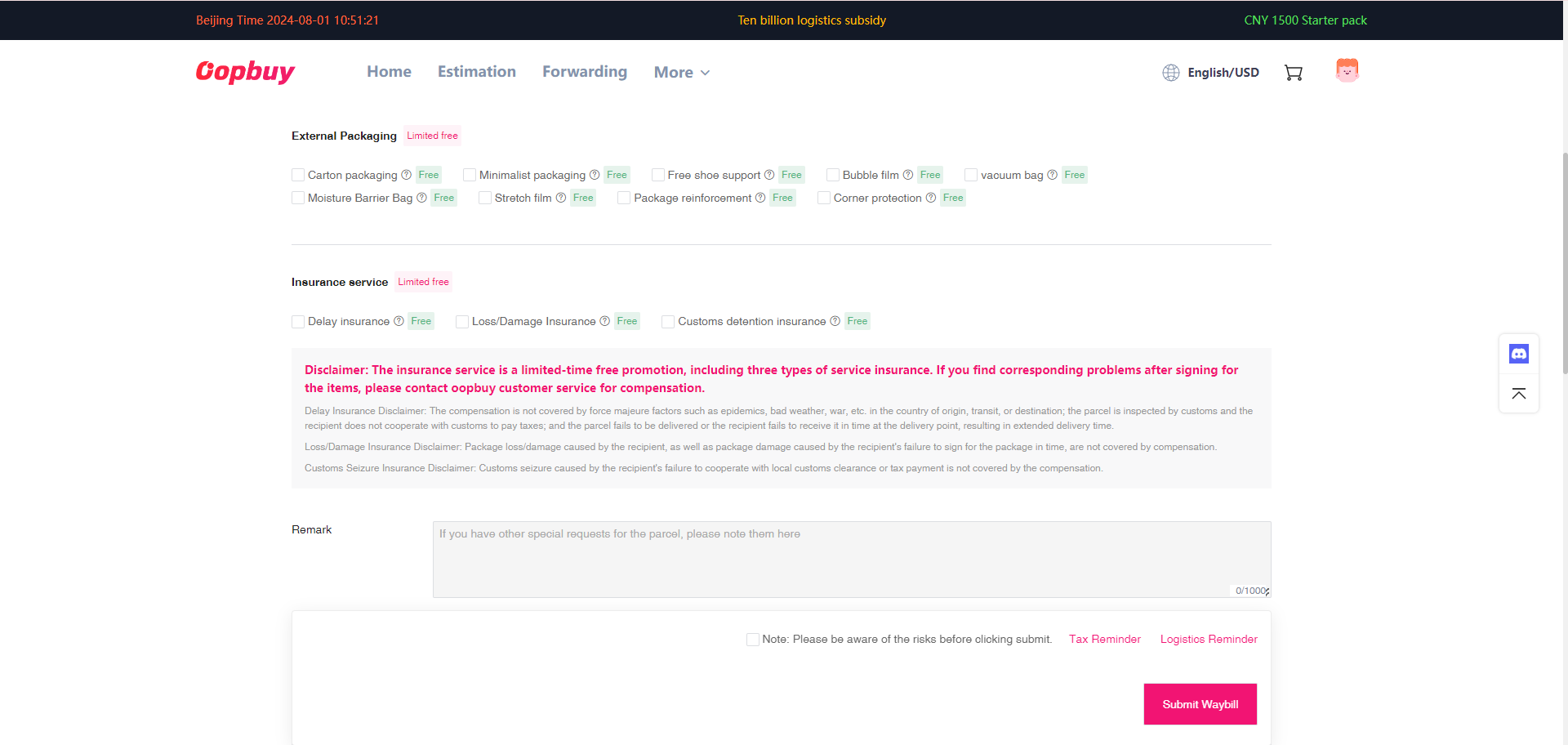
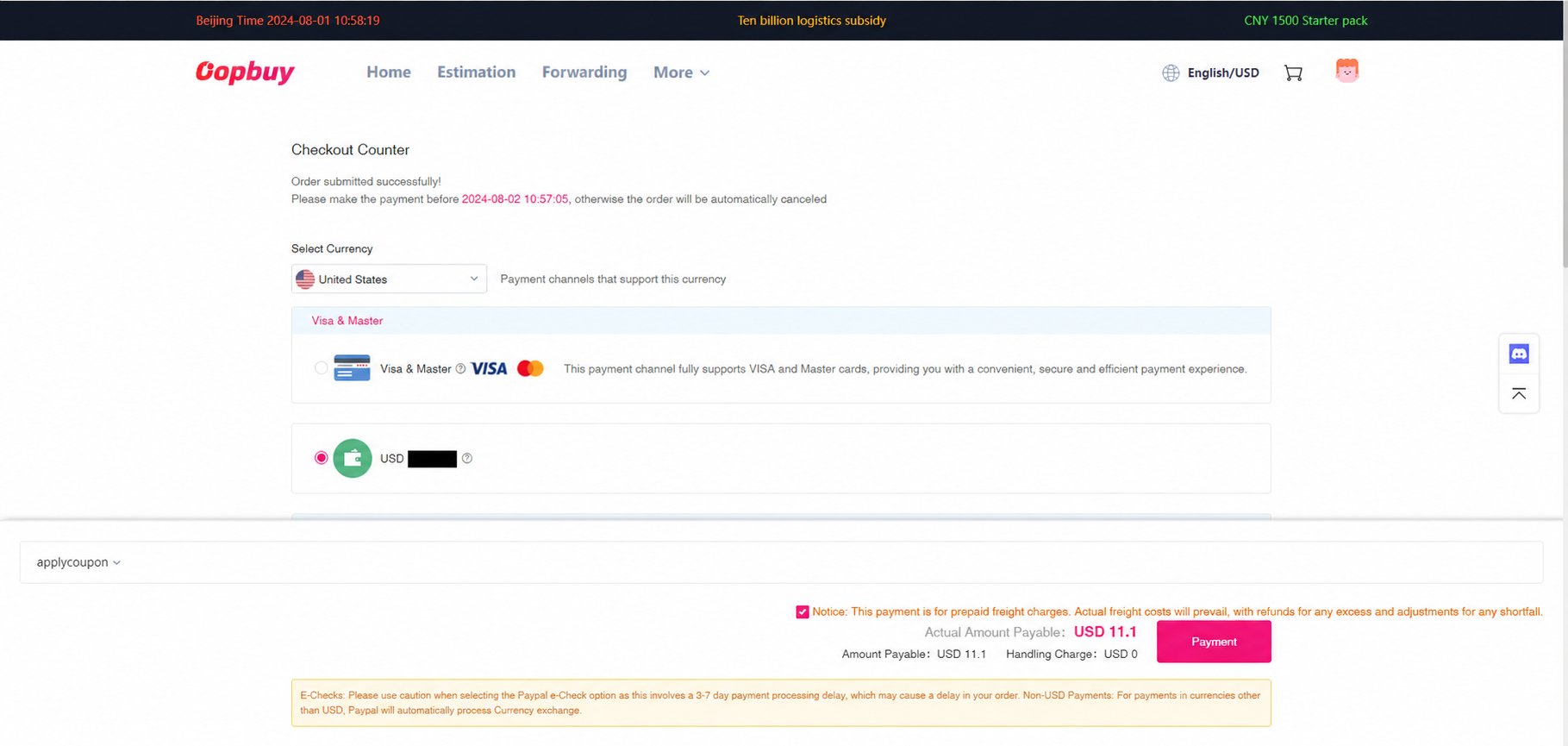
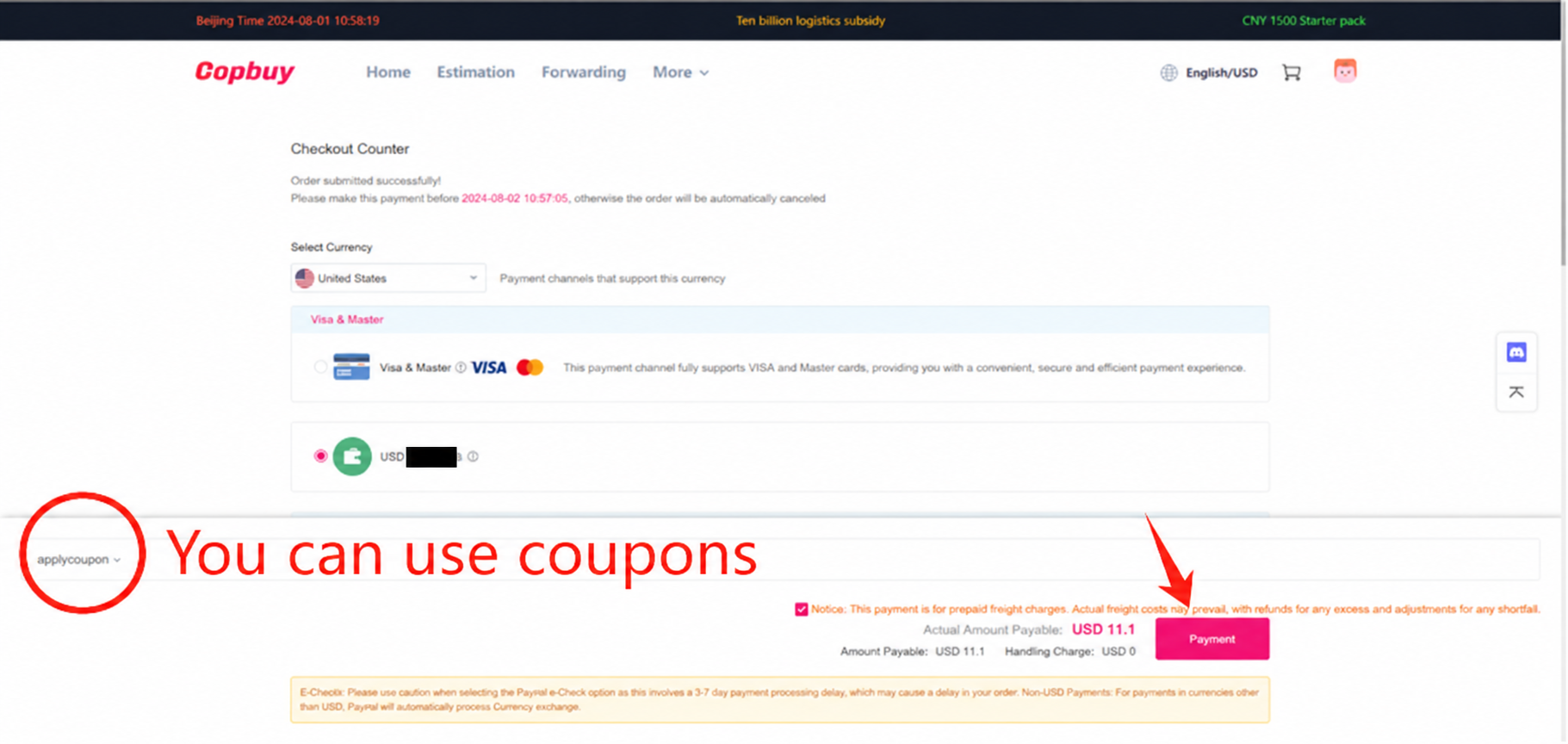
The tutorial shows the freight payment and coupon control. Recheck route conditions, optional extras and the final amount. The estimate may change after packing, and a coupon applies only when its terms are met.
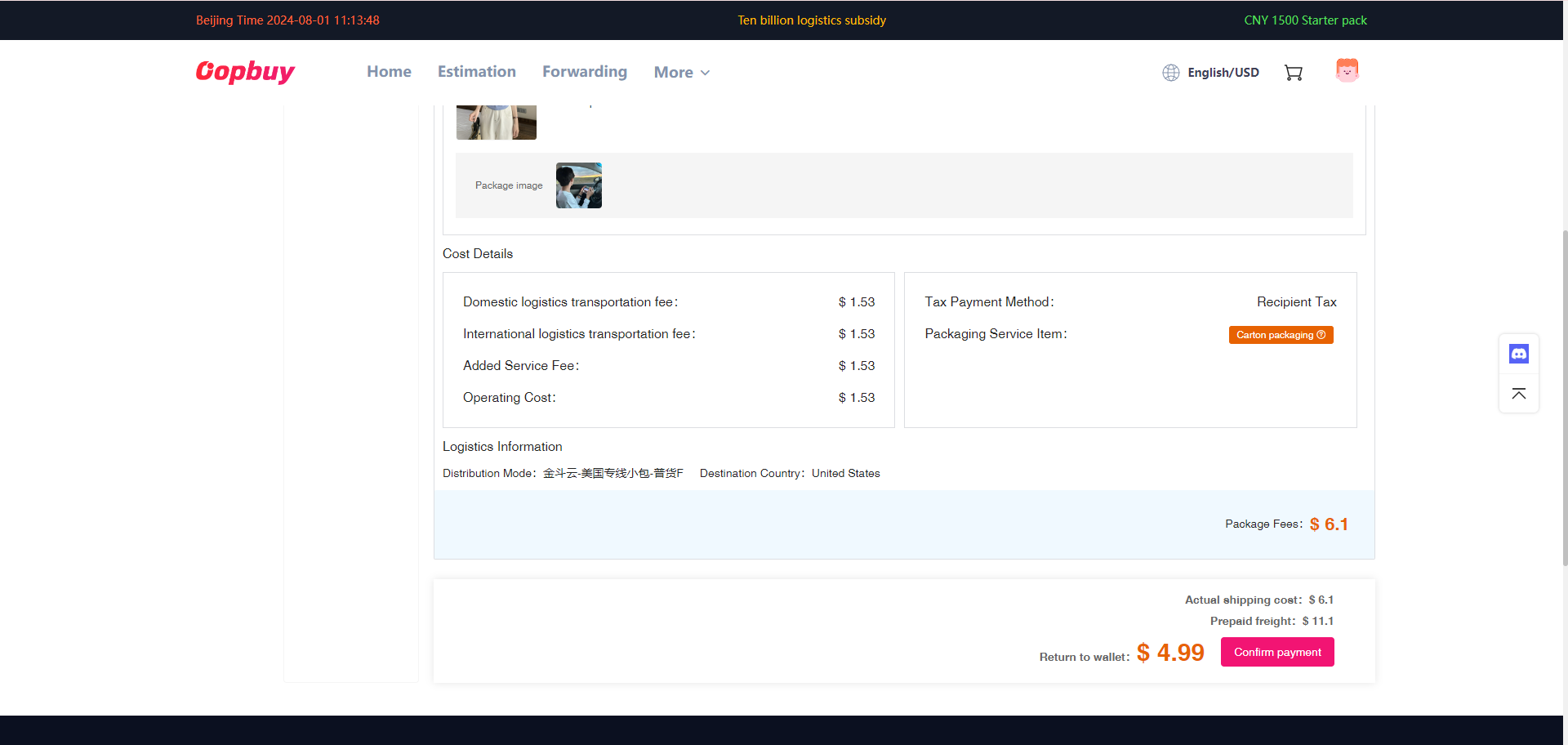
Check the packed parcel record for final weight, dimensions and any balance adjustment. Chargeable weight and optional packing can change the cost. Read the specific route’s calculation, and resolve a charge question before dispatch when possible.
Use the waybill and carrier tracking after dispatch. An initial label can appear before the carrier scans the parcel. Follow customs or delivery requests through verified channels; keep parcel labels and unboxing evidence if something is wrong.
No matching clause found
The promise
OOPBUY can capture 99% of product information on Taobao/Tmall/1688. You can directly select the color, size, and quantity.
Beginner's Guide, Step 2
The clause
No page measures or defines the capture rate. Links outside the supported platforms go through the DIY order form.
DIY order page; "Three things to know before using the agent service"
Between the two
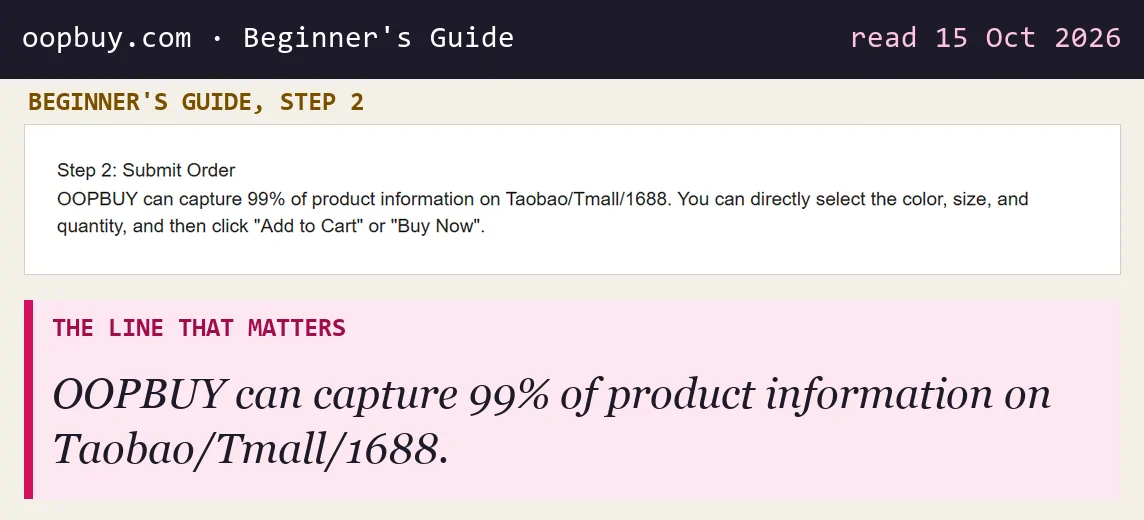
The 99% figure describes how often the system reads a listing's options automatically. It is the operator's own number and no page explains how it was measured. In practice the question that matters is simpler: does the colour and size list you see in Oopbuy match the listing?
If it does not, or the price looks wrong, stop and use the order chat. A wrong option captured automatically becomes a wrong item bought on your behalf, and returns depend on the seller.
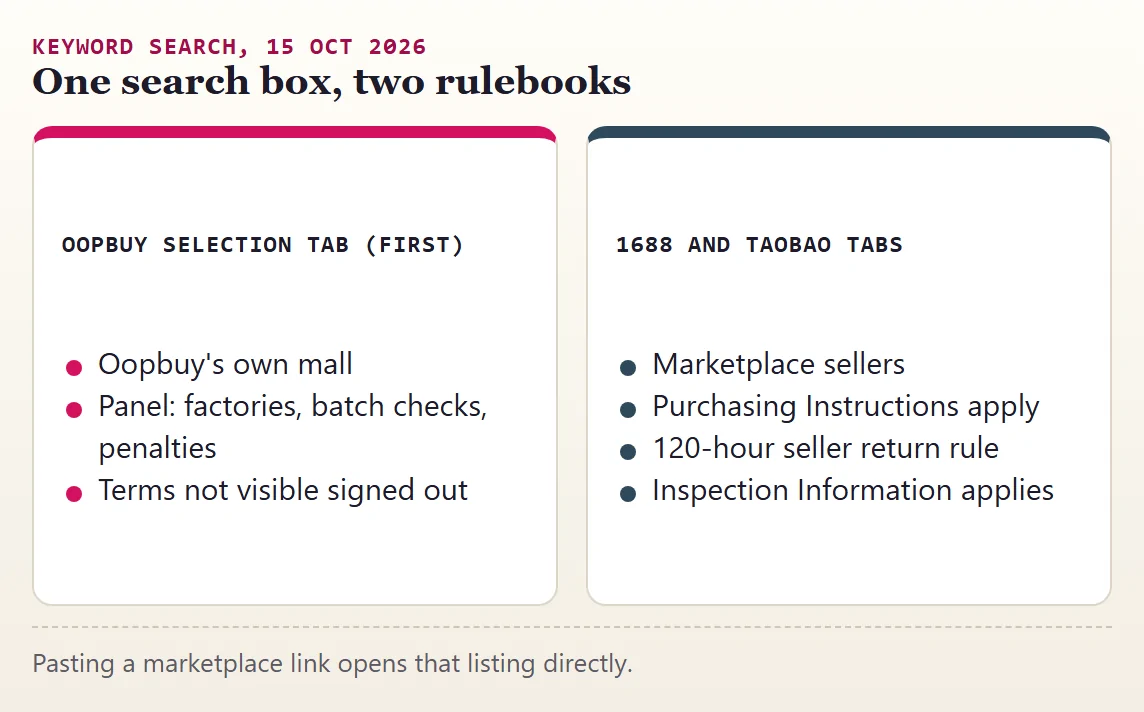
In the site reading on 15 October 2026, typing a keyword into Oopbuy's search bar shows the Oopbuy Selection tab first. The 1688 and Taobao tabs sit to its right. Selection is Oopbuy's own mall; the other two are marketplace results bought through the agent.
This matters for promises. The marketplace routes are covered by the purchasing instructions, the 120-hour return rule and the inspection page. The Selection panel makes three promises of its own, about factories, batch checks and penalties, and we could not find terms behind them without signing in.
Pasting the seller link helps identify the source listing. Confirm which purchasing and after-sale terms apply in your account before paying.
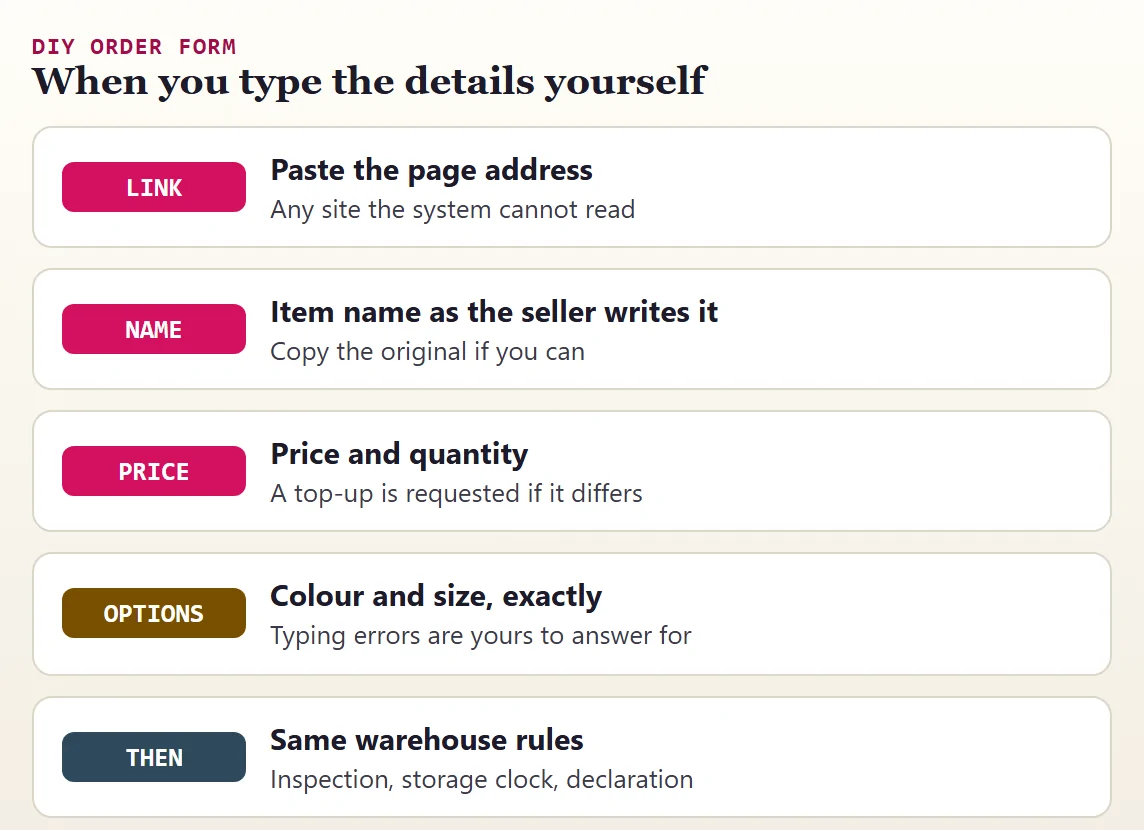
The DIY order form exists for items on websites the system does not support, or listings it cannot parse. You enter the link, the item name, the price, the quantity and any option notes, and a purchasing agent buys it manually.
Because you typed the details, mistakes in them are yours to answer for. Write the colour and size exactly as the seller names them, in the seller's language if you can copy it, and add a note if the listing has several near-identical options.
The same warehouse rules apply once the item arrives: inspection scope, storage clock and the declaration at shipping.
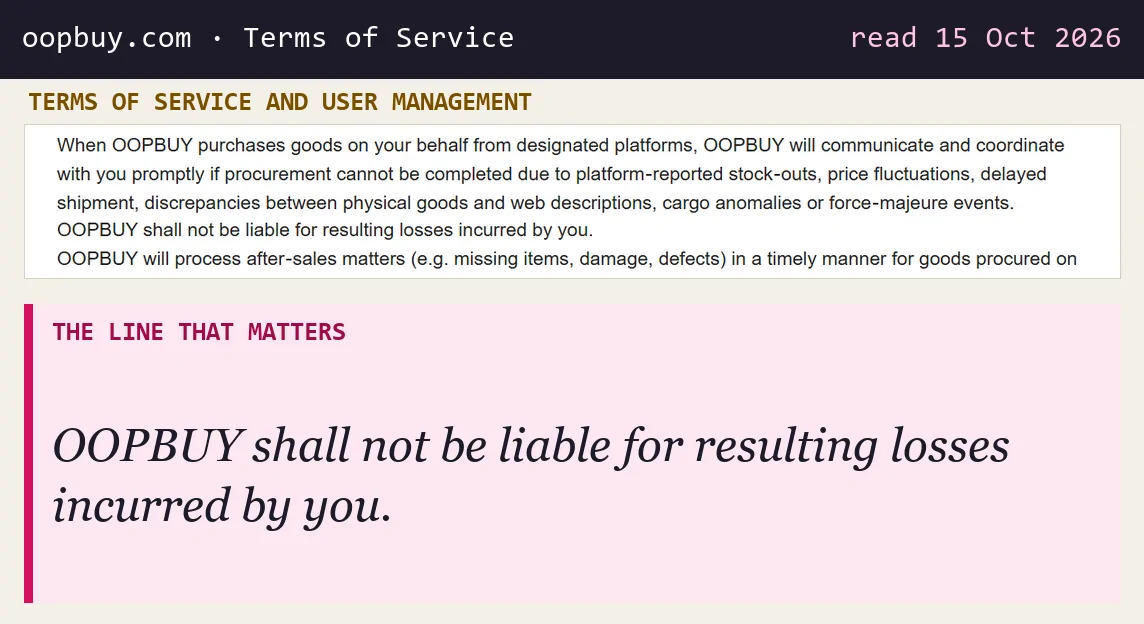
The Terms of Service list what can stop a purchase: stock-outs reported by the platform, price changes, delayed shipment, differences between the goods and the web description, cargo anomalies and force majeure. In each case Oopbuy says it will communicate with you promptly, and that it is not liable for the resulting losses.
The purchasing instructions add the working detail. Silence has a cost here: when a seller marks something out of stock, the agent waits 72 hours for your answer and then cancels that item on your behalf. If the price or freight differs from what you paid, the agent asks for a top-up. Refunds from the seller reach you within 4 to 10 days after the agent receives them.
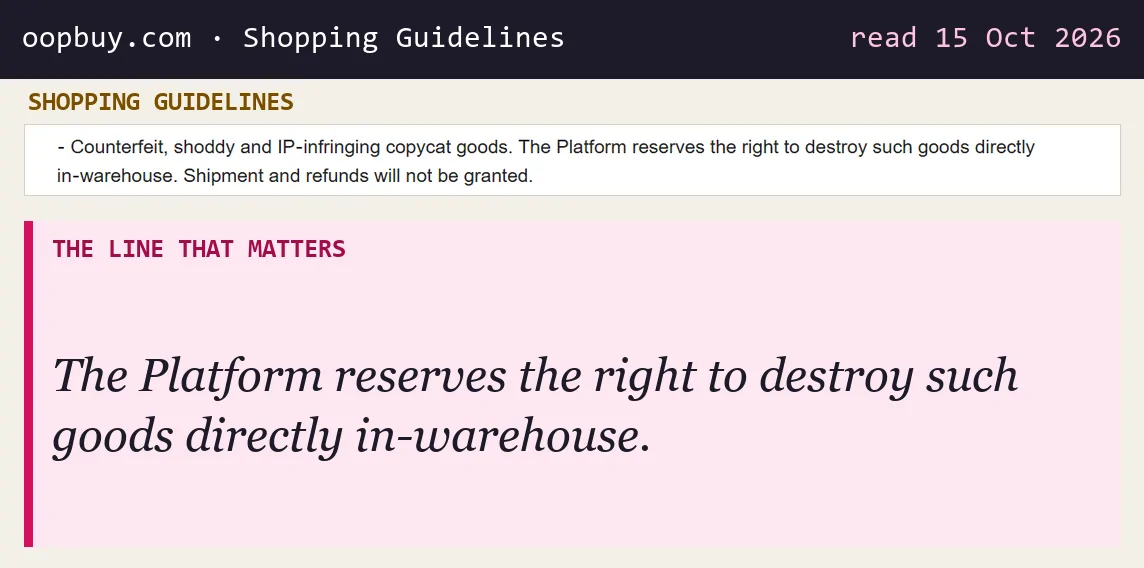
Oopbuy's Shopping Guidelines prohibit counterfeit, shoddy and IP-infringing goods and state that the platform may destroy such goods in the warehouse, with no shipment and no refund. The Terms of Service repeat this and add that Oopbuy offers no guarantee of authenticity for third-party merchant goods.
Read that alongside the inspection promise. The warehouse check is not an authentication service, and the agent takes no responsibility for what a listing claims about its brand. Check the goods restrictions before ordering; a warehouse photograph does not prove authenticity or that an item is permitted on a route.